










Frequently asked questions
Common questions about Nudge Security's AI conversation monitoring feature
What kinds of risks does it flag?

Nudge Security automatically evaluates every agent for risk signals including publicly accessible agents, agents with excessive or destructive permissions, hardcoded credentials in agent instructions, unauthenticated MCP connections, integrations with high-risk apps, and agents whose creators have left the organization. Every flag maps to a specific, actionable finding so your team knows exactly what to do next.
Does browser-based discovery require additional deployment?
If your organization already deploys the Nudge Security browser extension for SaaS discovery, browser-based agent discovery is included—no additional rollout required. For organizations that haven't deployed the extension yet, that's the one step needed to enable browser-based coverage.
How does Nudge Security discover AI agents?
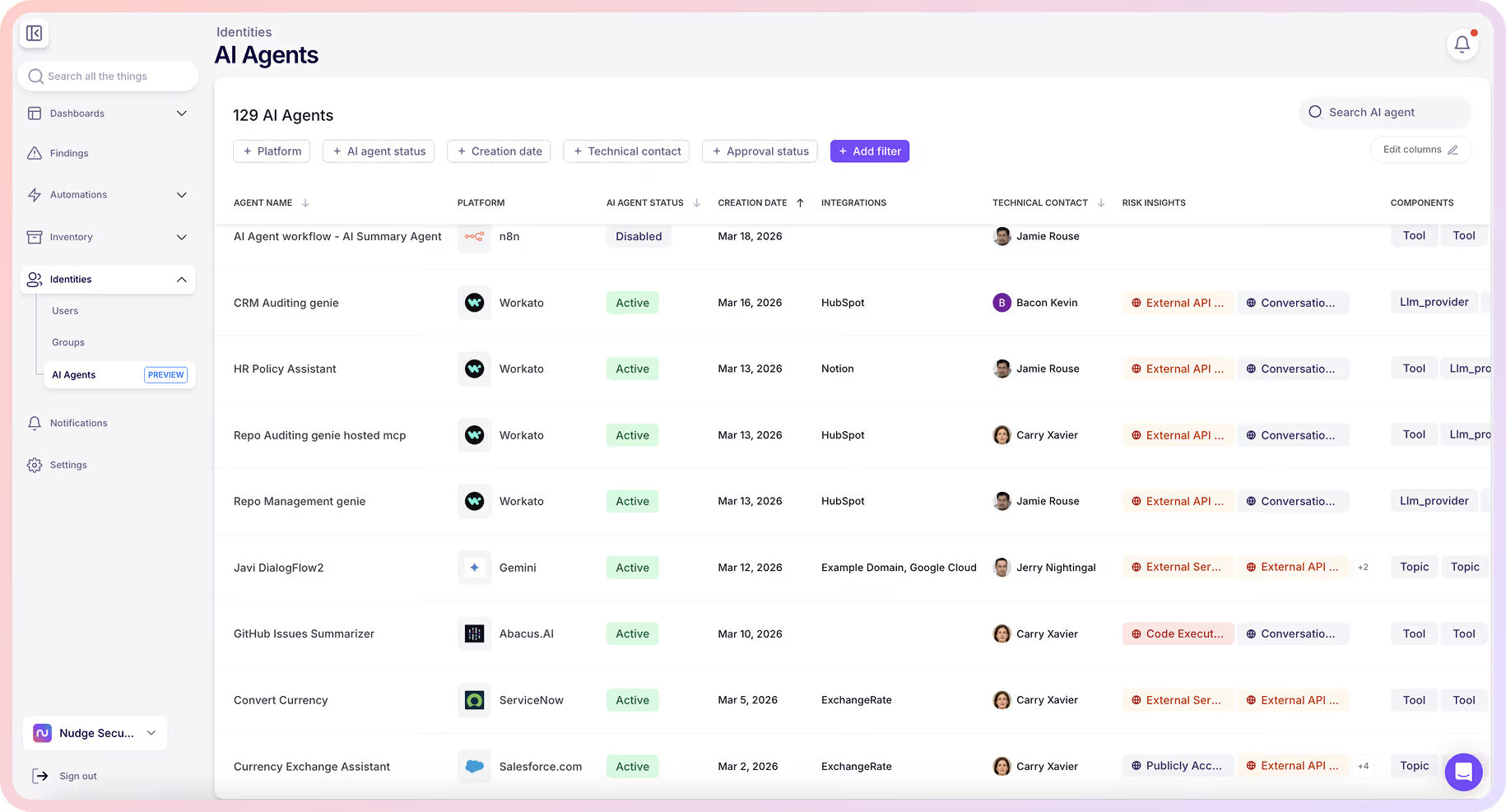
Nudge Security uses two discovery channels in parallel. API-based discovery runs through connected apps for platforms that expose a public API, continuously pulling agent data including name, creator, creation date, status, and metadata. Browser-based discovery runs through the Nudge Security browser extension for platforms without APIs, passively observing when employees create or view agents and adding them to inventory automatically. Together, the two channels cover the platforms where agents are actually being built—including the ones employees adopt without IT involvement.
How does Nudge Security help me figure out who's responsible for an agent?
Nudge Security identifies the person who built each agent and, where possible, matches them to your directory. From there, you can assign a technical contact as the ongoing owner—who may or may not be the original creator—and send a nudge to confirm intent, ask for a business justification, or request remediation. Nudge responses populate the agent's intent field automatically, so accountability is documented without manual follow-up.
Which platforms does Nudge Security support?
For API-based discovery: Salesforce Agentforce, Microsoft Copilot Studio, Google Gemini, ServiceNow, n8n, Tines, ChatGPT, Abacus.AI, and Workato. For browser-based discovery: Cursor automations, OpenAI Agents Workflows, ChatGPT workspace agents, Zoom AI Workflows, Atlassian Rovo, Retool, Zapier Agents, and HyperAgent, with more being added based on where customers are seeing the most agent activity. Every discovered agent, regardless of channel, appears in a single inventory view.
What does "research preview" mean?
Research preview means the feature is live and available to use today as we explore further possibilities to fully secure and govern AI agents. Nudge Security is releasing AI agent discovery early so we can build it alongside teams using it in real environments, which means platform coverage is actively expanding. If you're already a Nudge Security customer, reach out to your product success manager to get access. If you're new to Nudge Security, you can request early access as part of a free trial.
Can you find agents employees built without IT approval?
Yes. Nudge Security discovers agents regardless of whether IT sanctioned them. Shadow agents—especially those built on platforms without APIs—are often the ones with the broadest access and least oversight. They can connect to sensitive data sources, run with elevated permissions, and stay active long after the person who built them has moved on. You can't govern what you don't know is there.
What do I see for each discovered agent?
For every agent Nudge Security finds, you get who built it, which platform it runs on, when it was created, what it connects to, what permissions it holds, and what risk signals it's carrying. You can also set the agent's approval status, assign a technical contact, and capture the creator's stated intent through a nudge response—all in one place.




